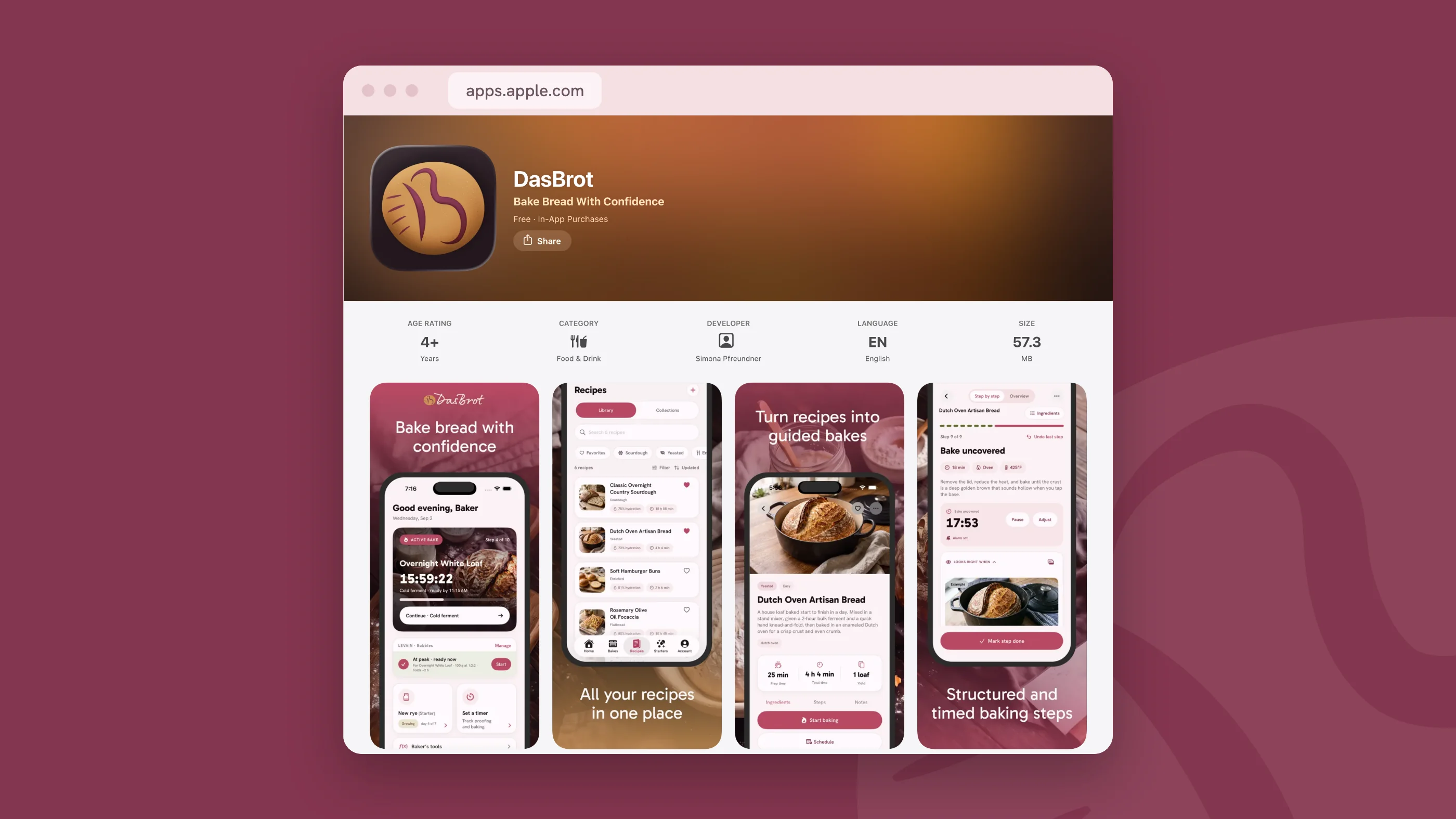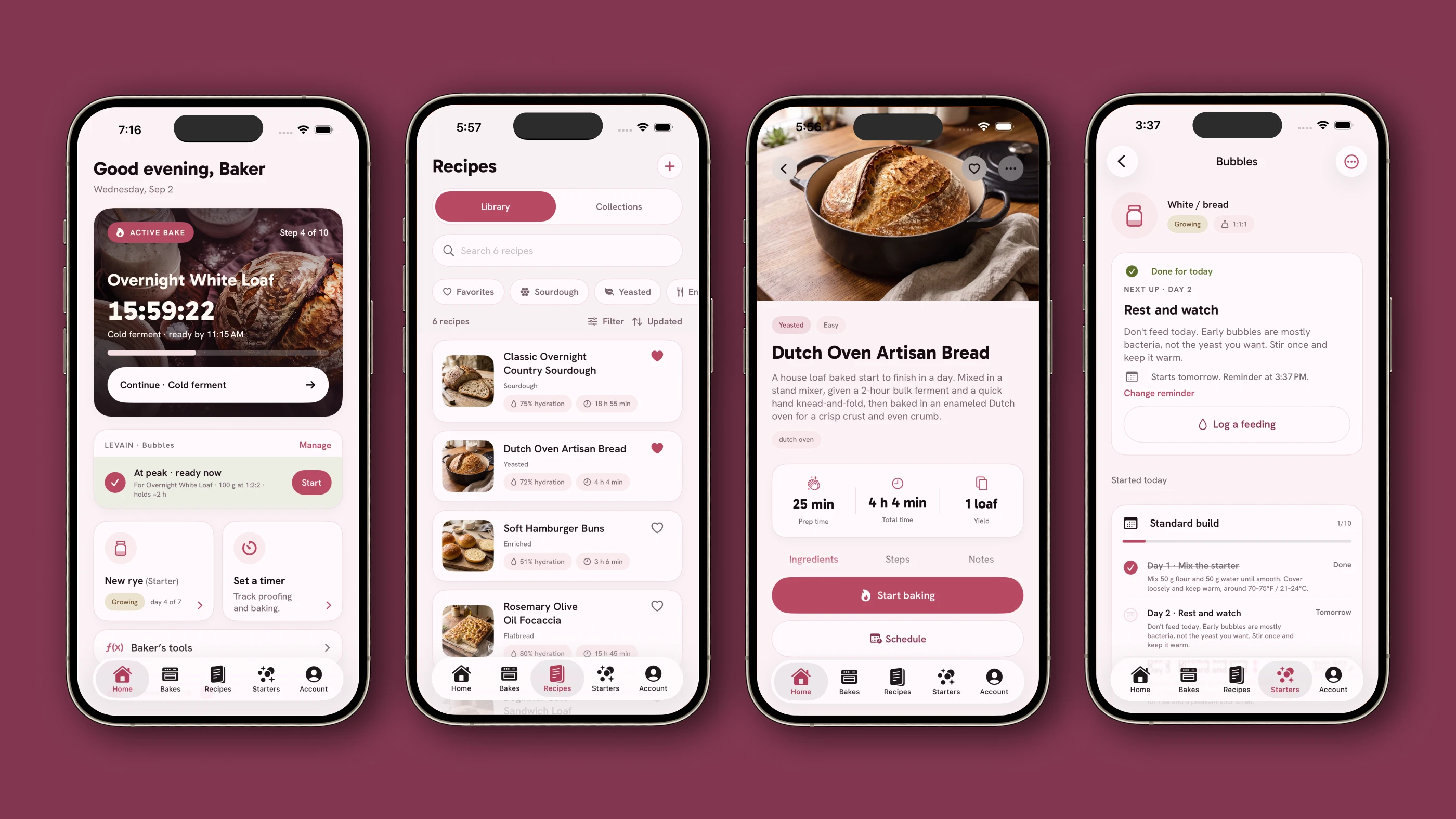
A bread-baking app for iPhone and iPad.
DasBrot holds recipes, timers, starter care and bake notes in one app, for people who bake at home and want to remember what worked last time.
I designed the product and the brand in Figma, built the design system, and developed the app in SwiftUI with Claude Code and Codex.
- Impact
- App + system
- Native iPhone and iPad app, design system, and brand identity
- Role
- Product design, UX/UI, design systems, development
- [Independent product]
- Tools
- Figma, SwiftUI, Xcode, Claude Code, Codex
- Team
- Solo, with AI coding agents
The Product
Visit DasBrot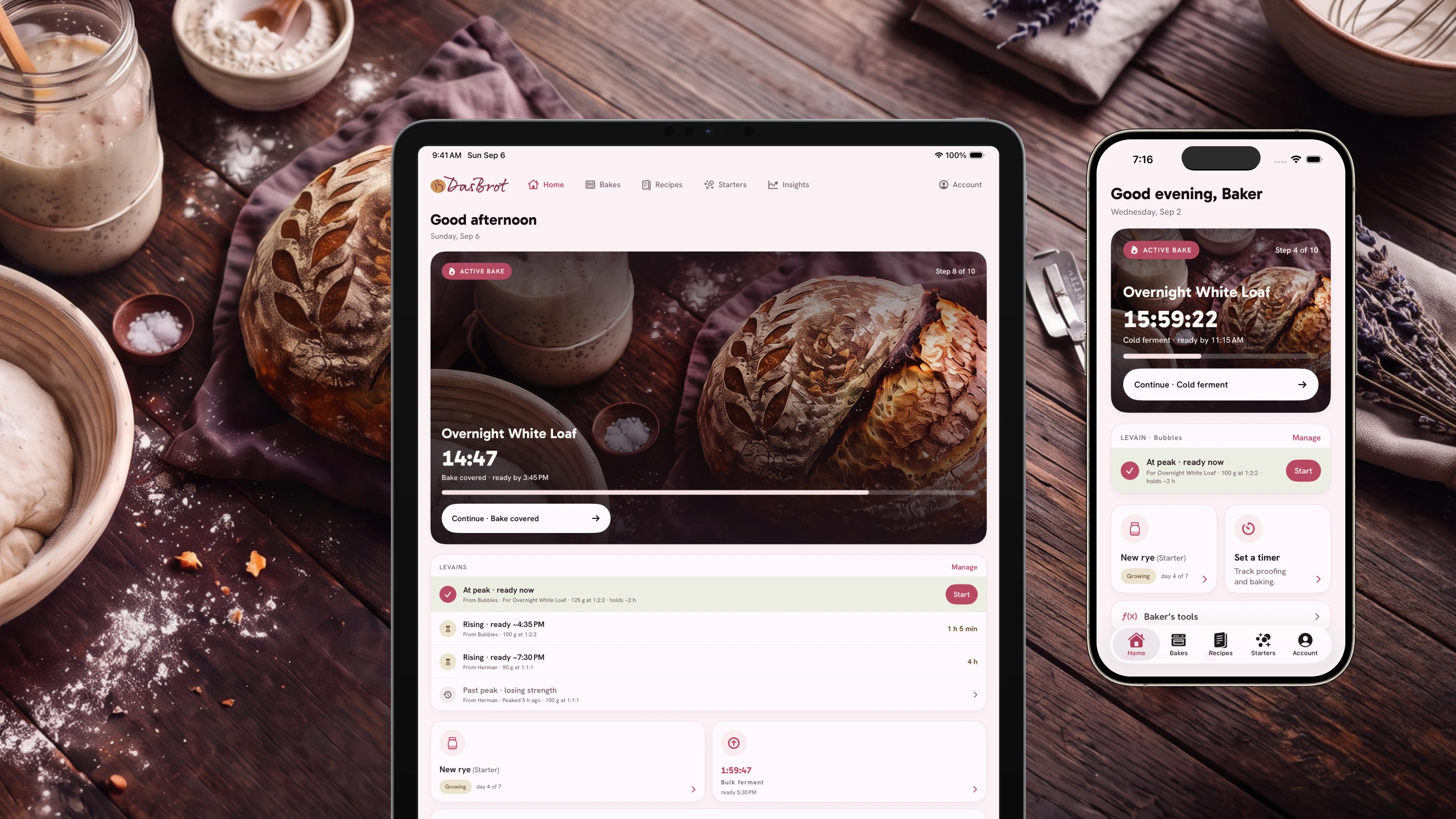
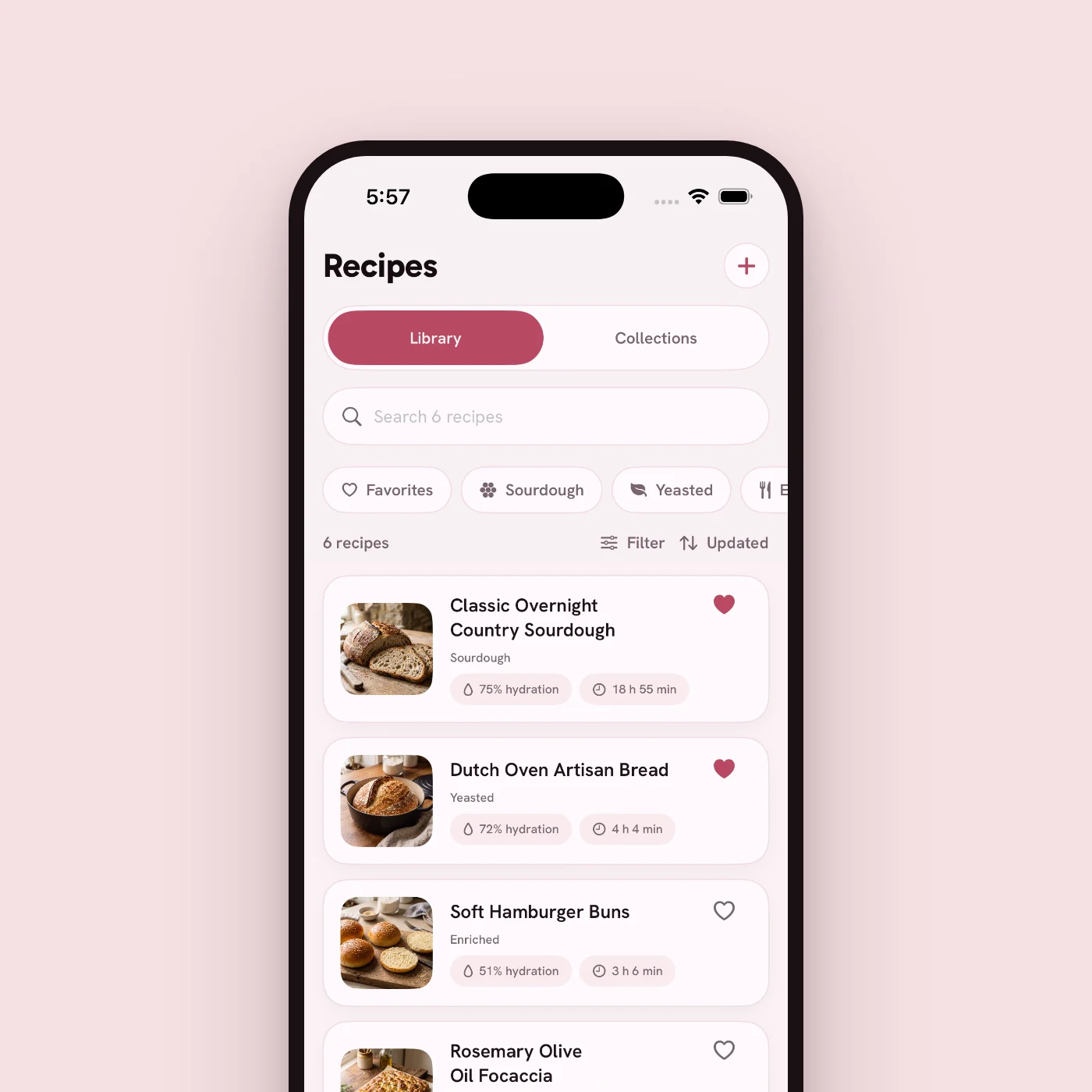
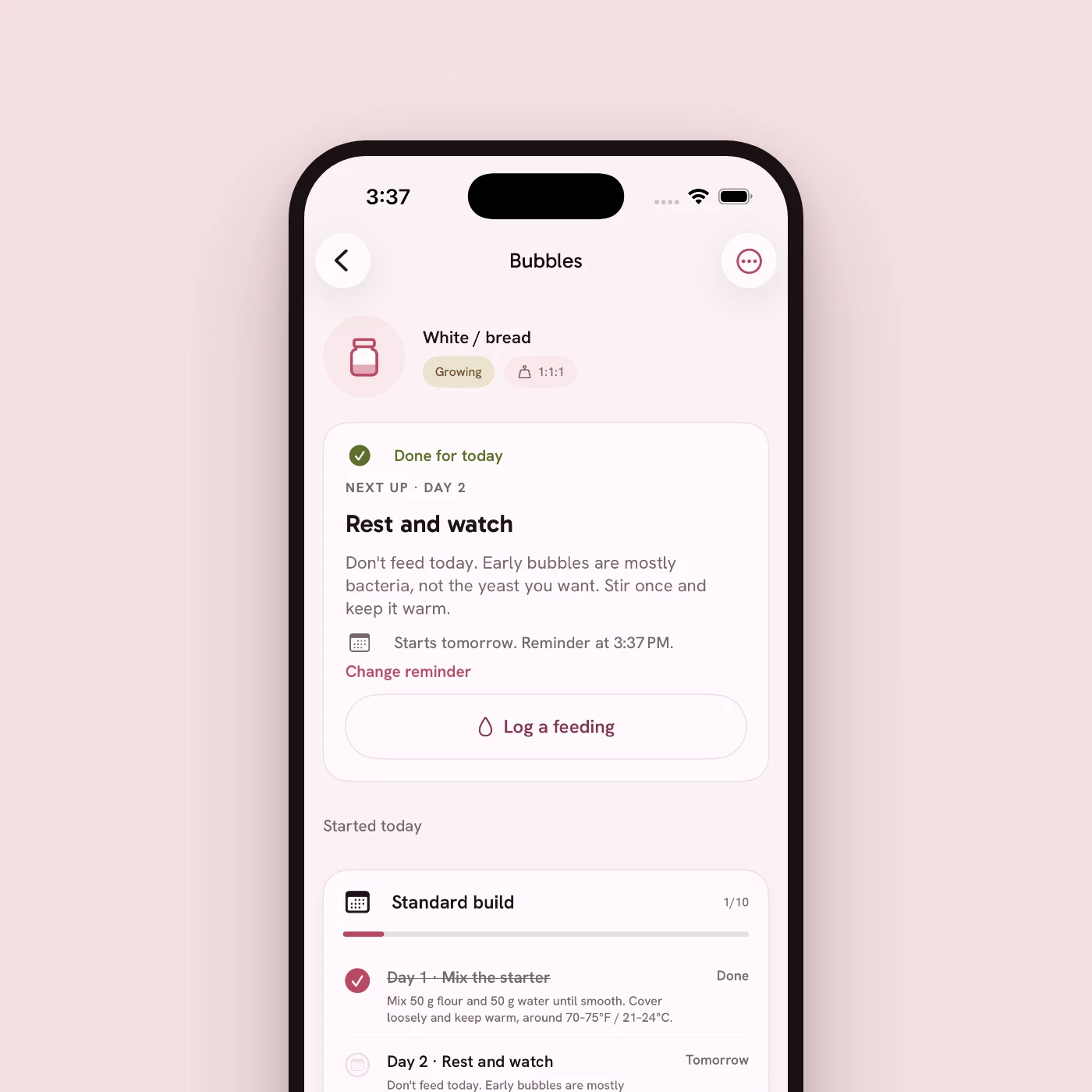
An app for people who bake bread at home.
I built DasBrot around sourdough because sourdough is the hard case. A loaf takes twelve to twenty-four hours. Every stage depends on how the last one went. And the recipe runs out of useful things to say at the exact moment you need it.
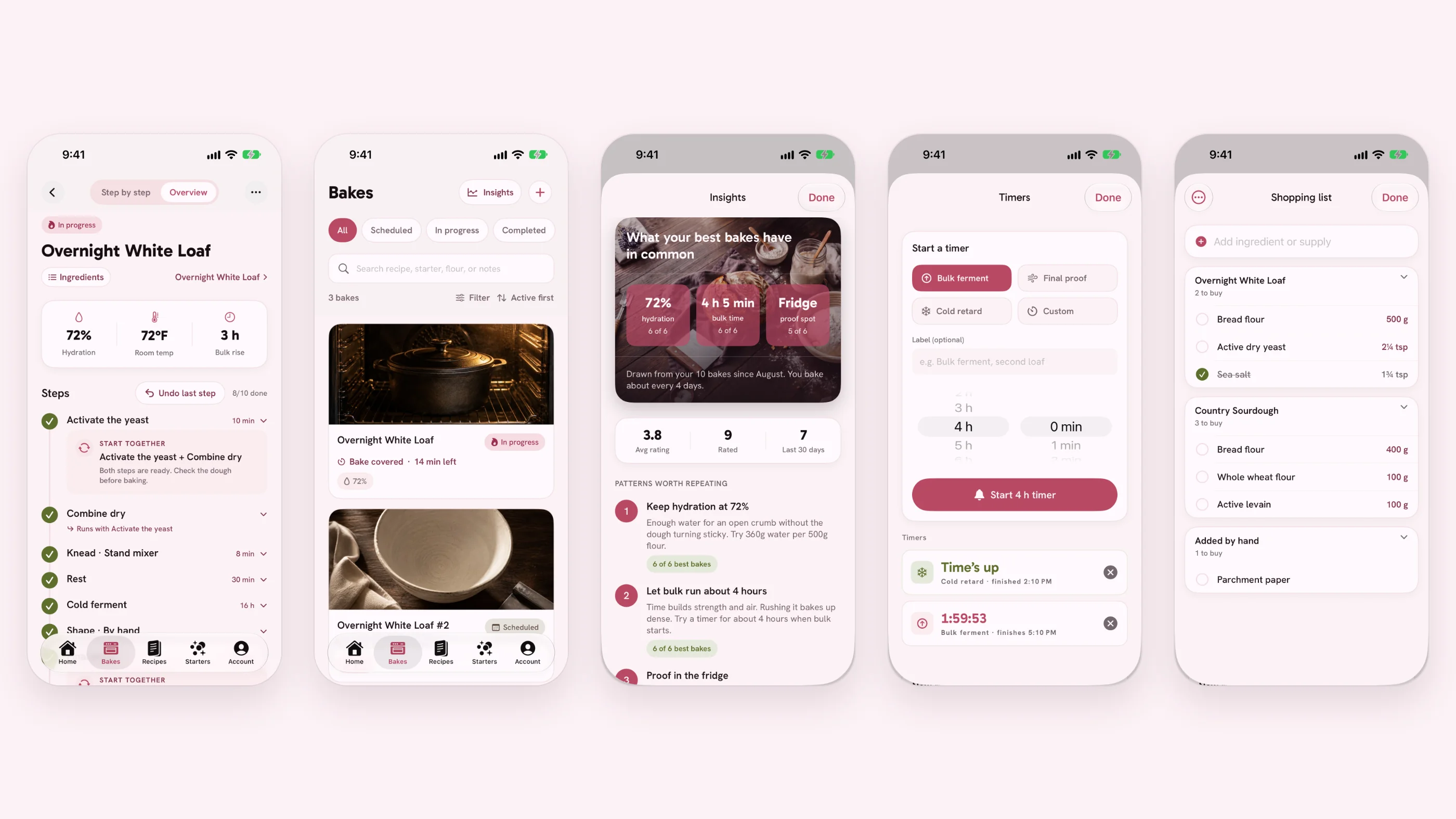
The recipe is not what people get stuck on.
The questions that stop a bake come halfway through, hands covered in flour, timer running. Almost none of them are about ingredients.
"Bulk ferment until doubled" only helps if you have already watched dough double.
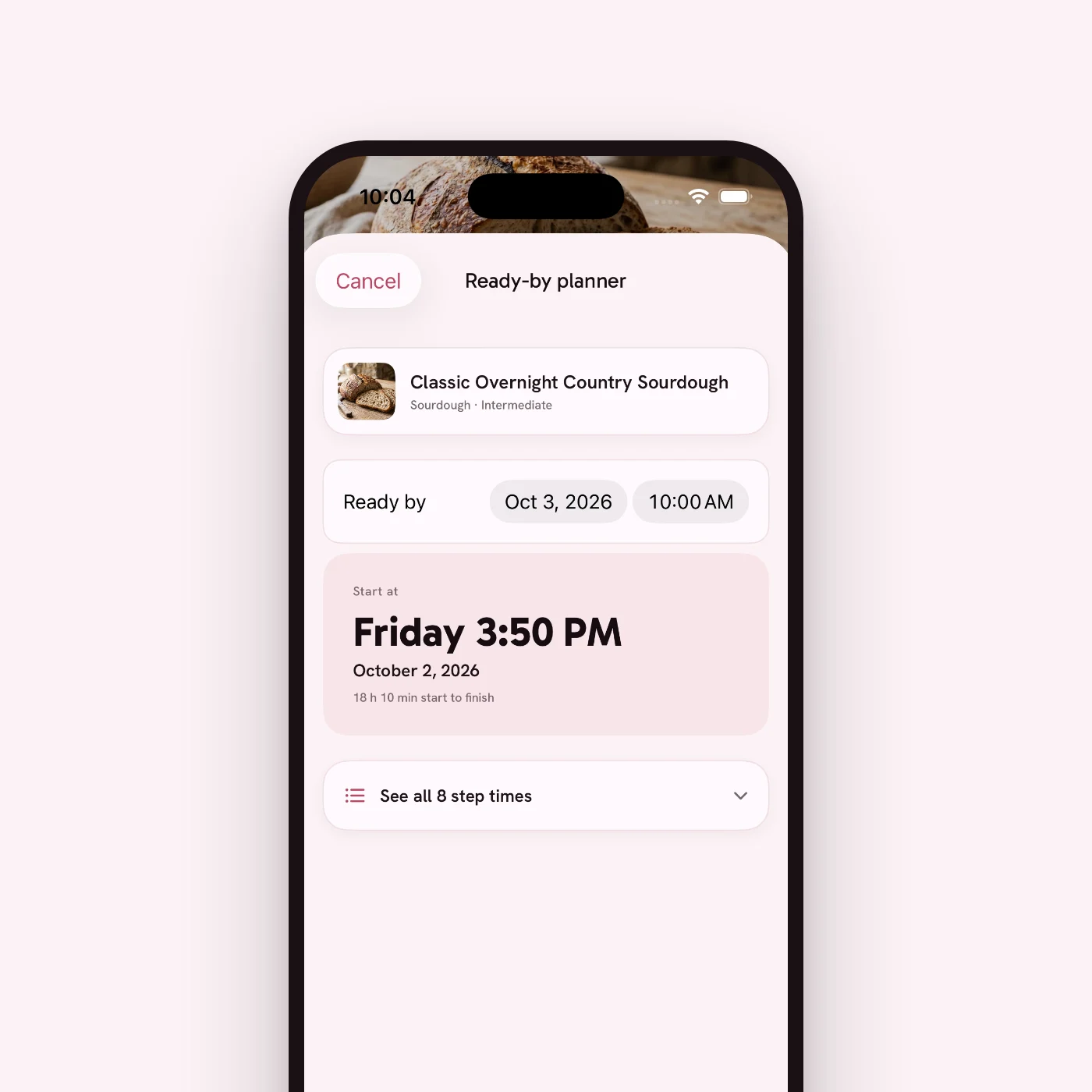
Recipes read start to finish. Bakers work backwards from when they want bread on the table.
Every bake teaches you something about your kitchen and your flour. Almost none of it gets written down.
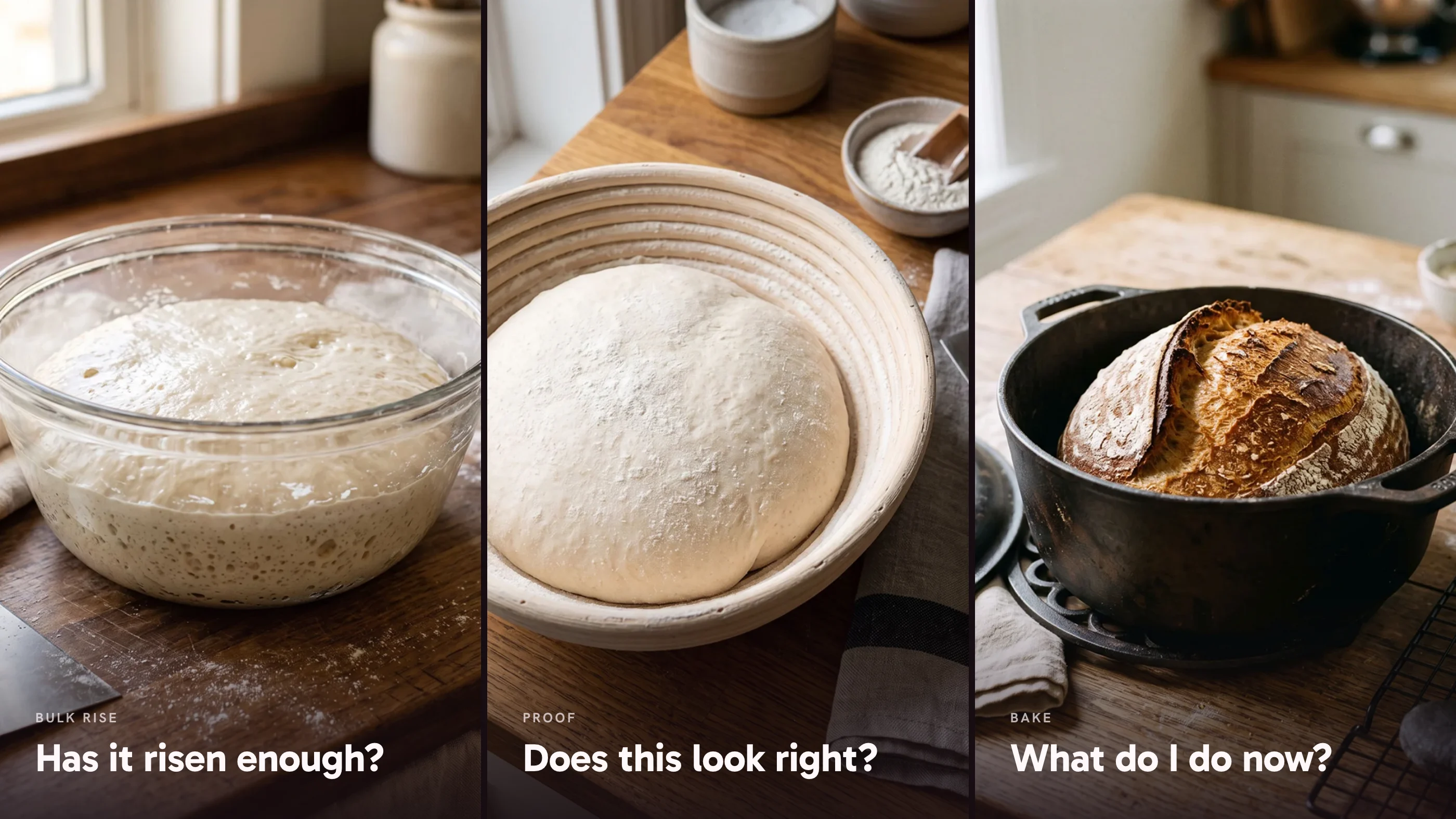
What the product had to do.
Answer in place
- The baker has a bowl in one hand.
- The live step answers without going anywhere.
- Show a photo of the dough at that stage.
Plan around a finish time
- Start from the hour you want bread.
- Work out the schedule from there.
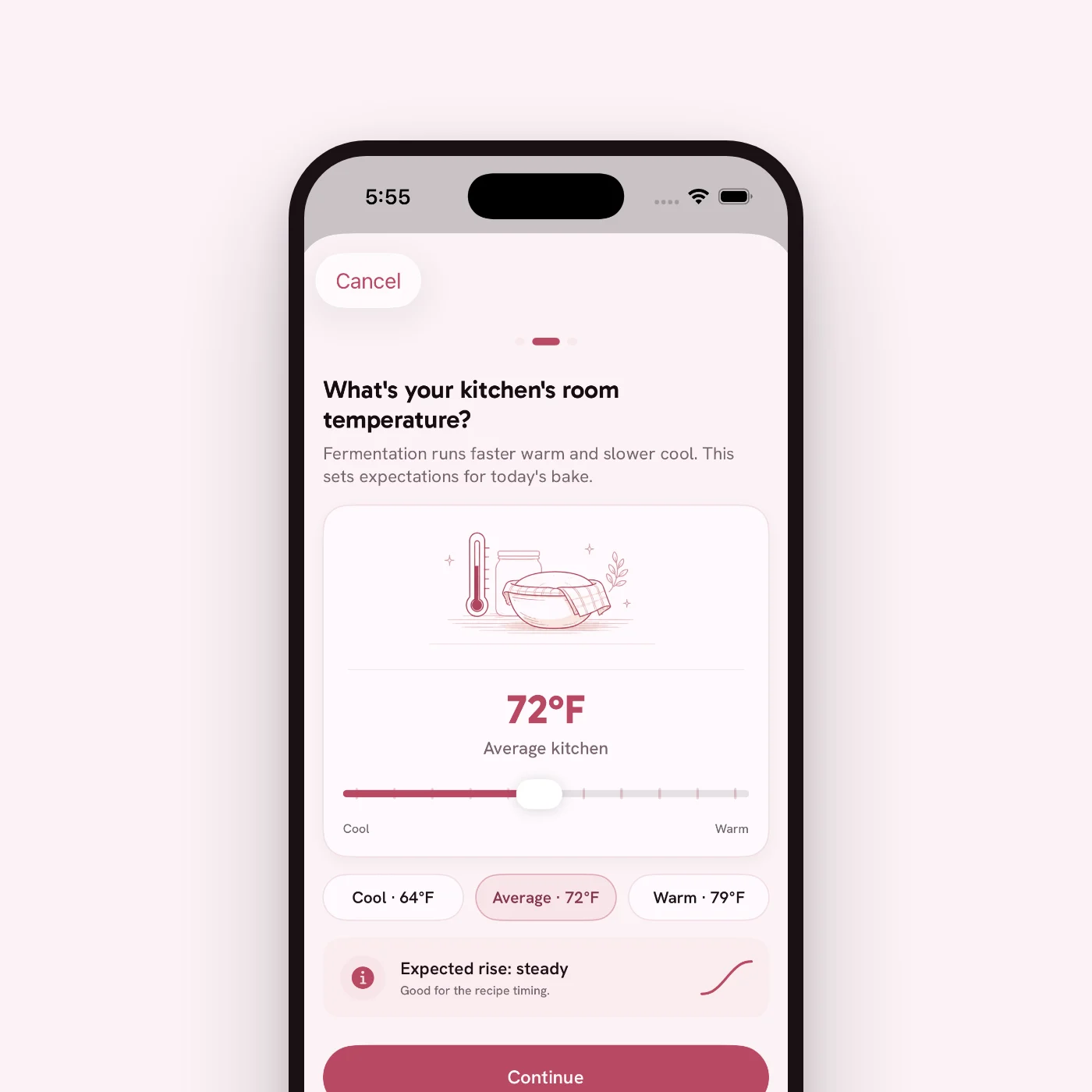
- Ask for room temperature in a way people can answer.
Stay calm for a day
- Twelve hours of waiting should not feel urgent.
- Timers stay quiet and keep running when you leave.
- Status reads at a glance, never by colour alone.
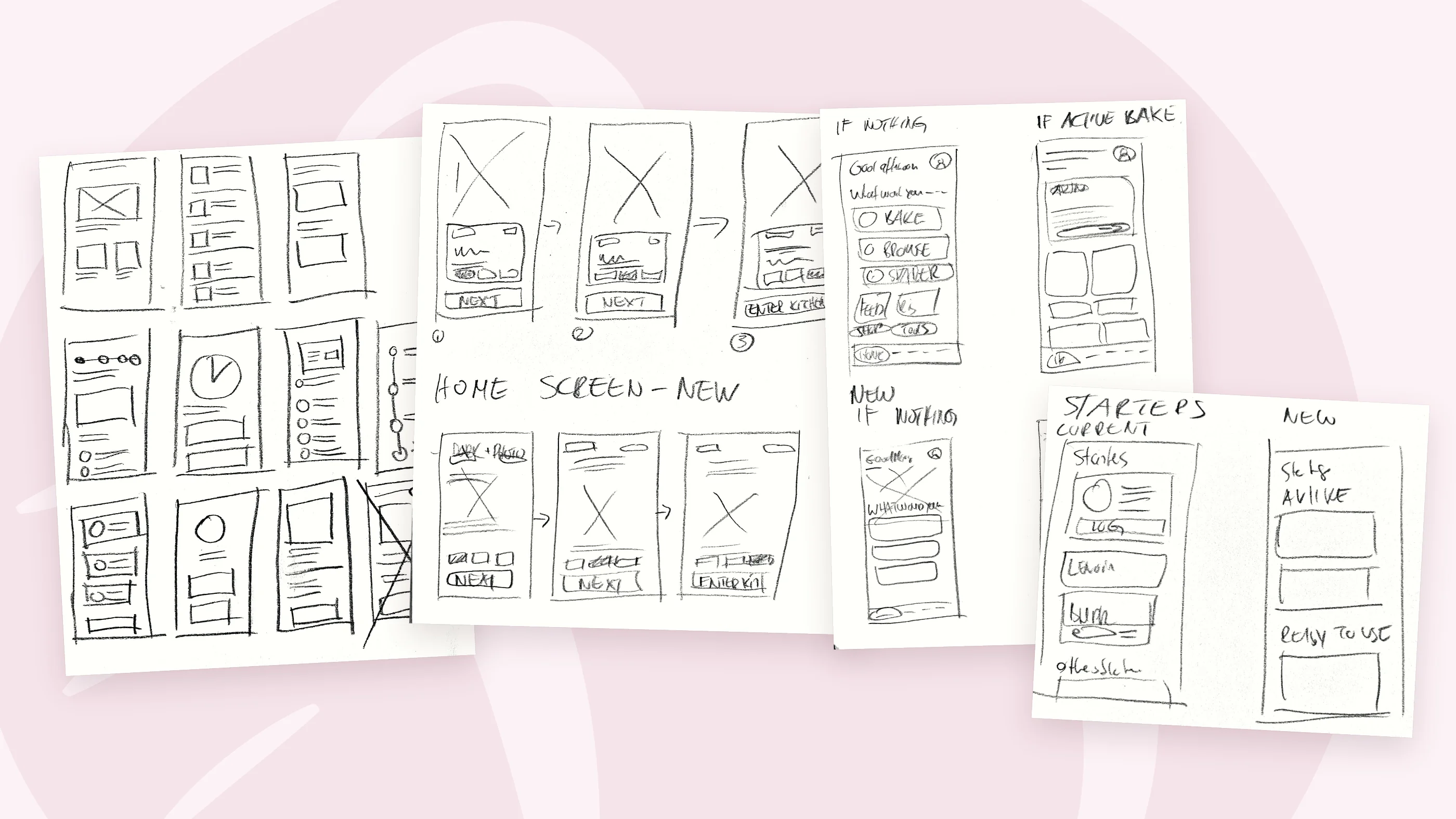
It started small, grew, and I cut it back.
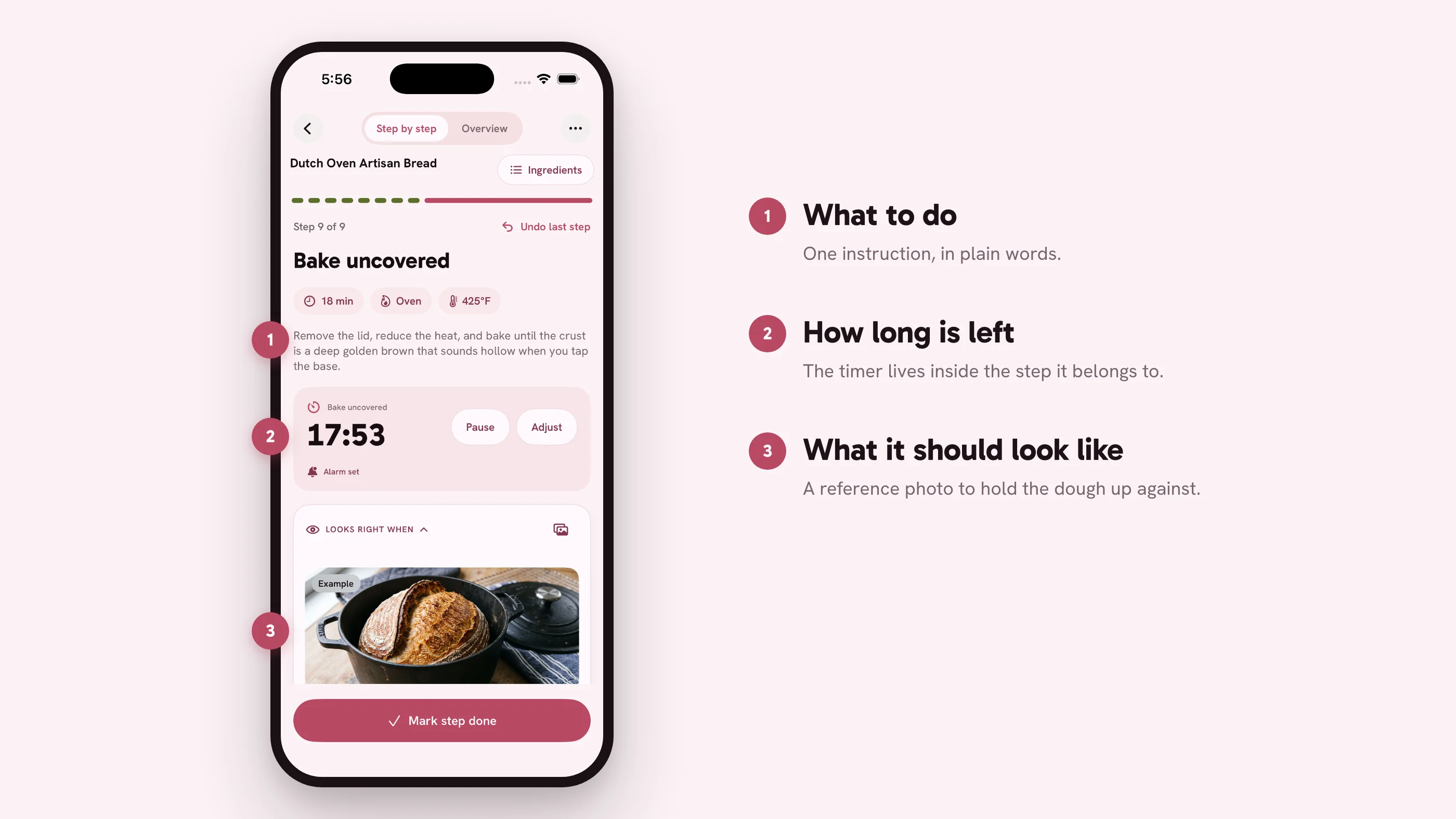
I knew from the start that the app had to follow a bake step by step. A recipe page is for reading before you begin. Someone four hours into a bulk ferment has one question about the bowl in front of them, and they want the answer right there.
So I started with that core and built out from it. Each addition made sense on its own. Together they pulled the app away from baking. I went back through it and took out anything a baker doesn't need in the middle of a bake.
The first build did one thing: take you through a recipe one step at a time.
Options and tools piled up, and each one took a little attention away from the dough.
Out went the baker's percentage toggle, an extra freestyle screen, and a planned tab reshuffle.
One step at a time, with the proof attached.
The live step carries three things: what to do, how long is left, and what it should look like when it is done. The full plan sits under Overview, and the ingredients are one tap away at the top. If the dough looks off, a small "Something looks wrong?" link opens the troubleshooting. It stays small because most of the time nothing is wrong.
The planner runs backwards from a finish time. Room temperature matters more than anything else here, and almost nobody knows their kitchen in degrees. Asking for a number would stop people on the first screen. So the setup offers three presets, cool, average and warm, under a drawing of covered dough beside a thermometer. You pick one. The degrees are shown for anyone who does know them.
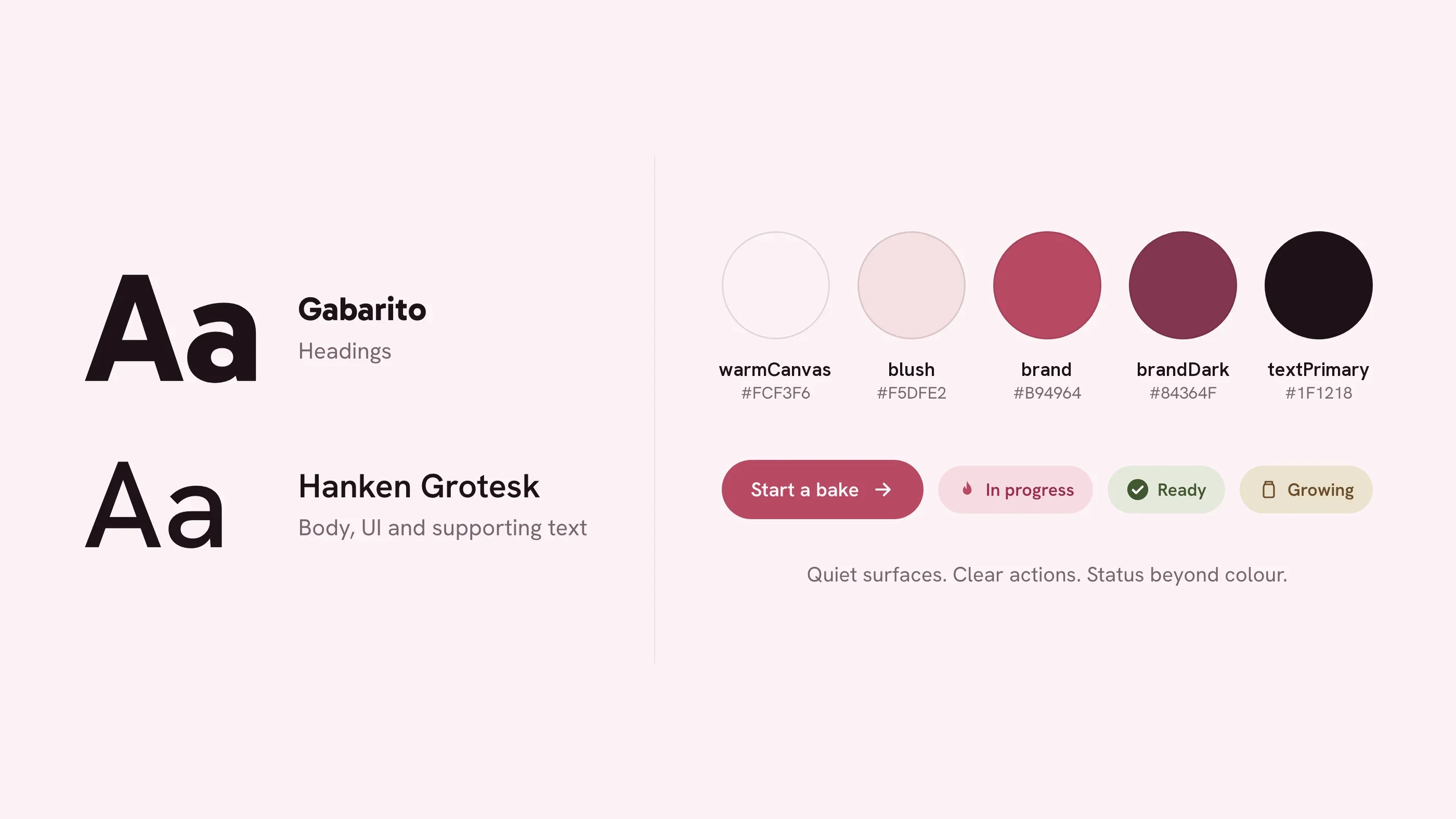
Quiet surfaces, clear actions, status beyond colour.
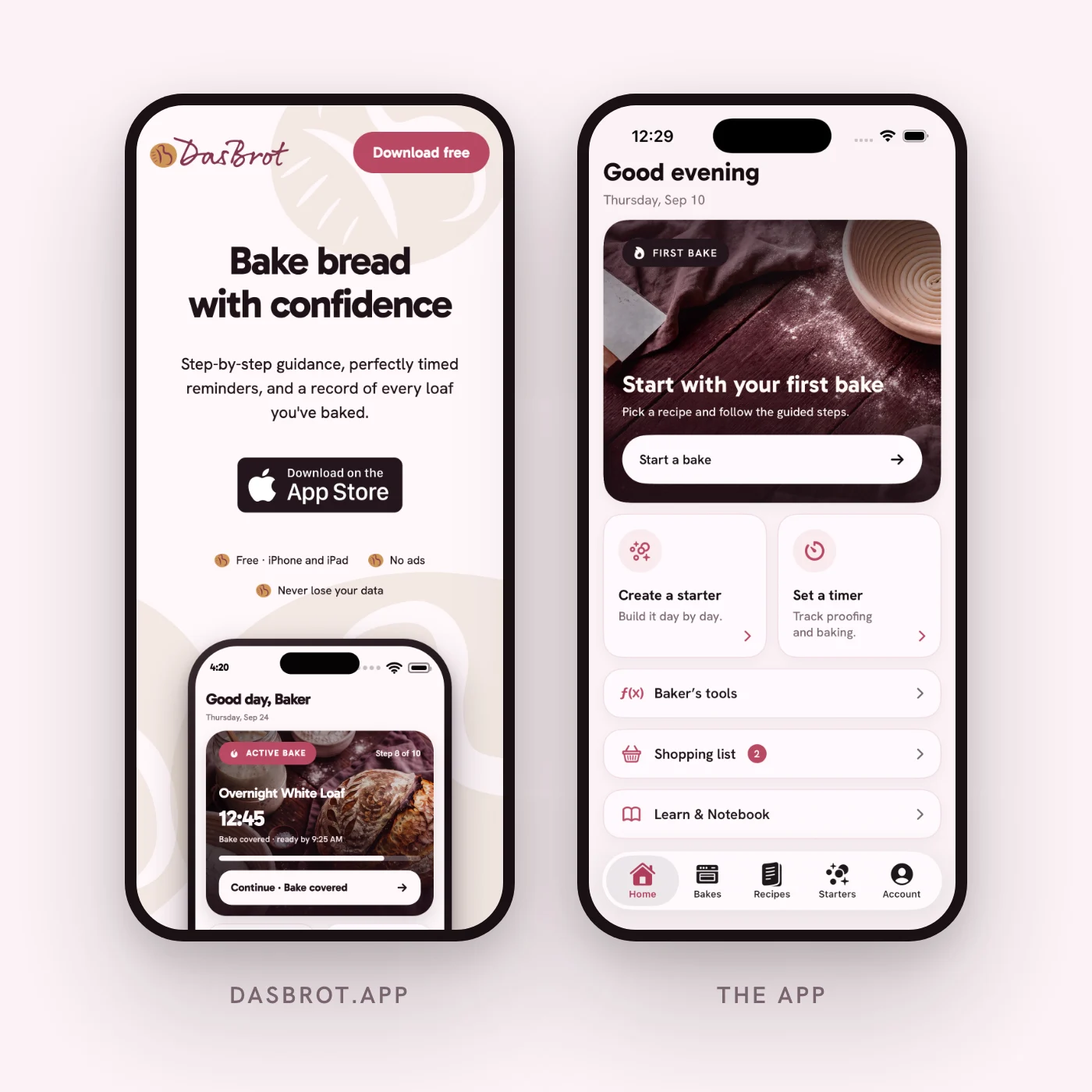
The tokens live in the app's Swift source and export to Figma, so the two never drift. Gabarito takes the headings, Hanken Grotesk takes everything else. The background is a very light pink. Burgundy is for anything you can tap. Text is a dark brown, close to black.
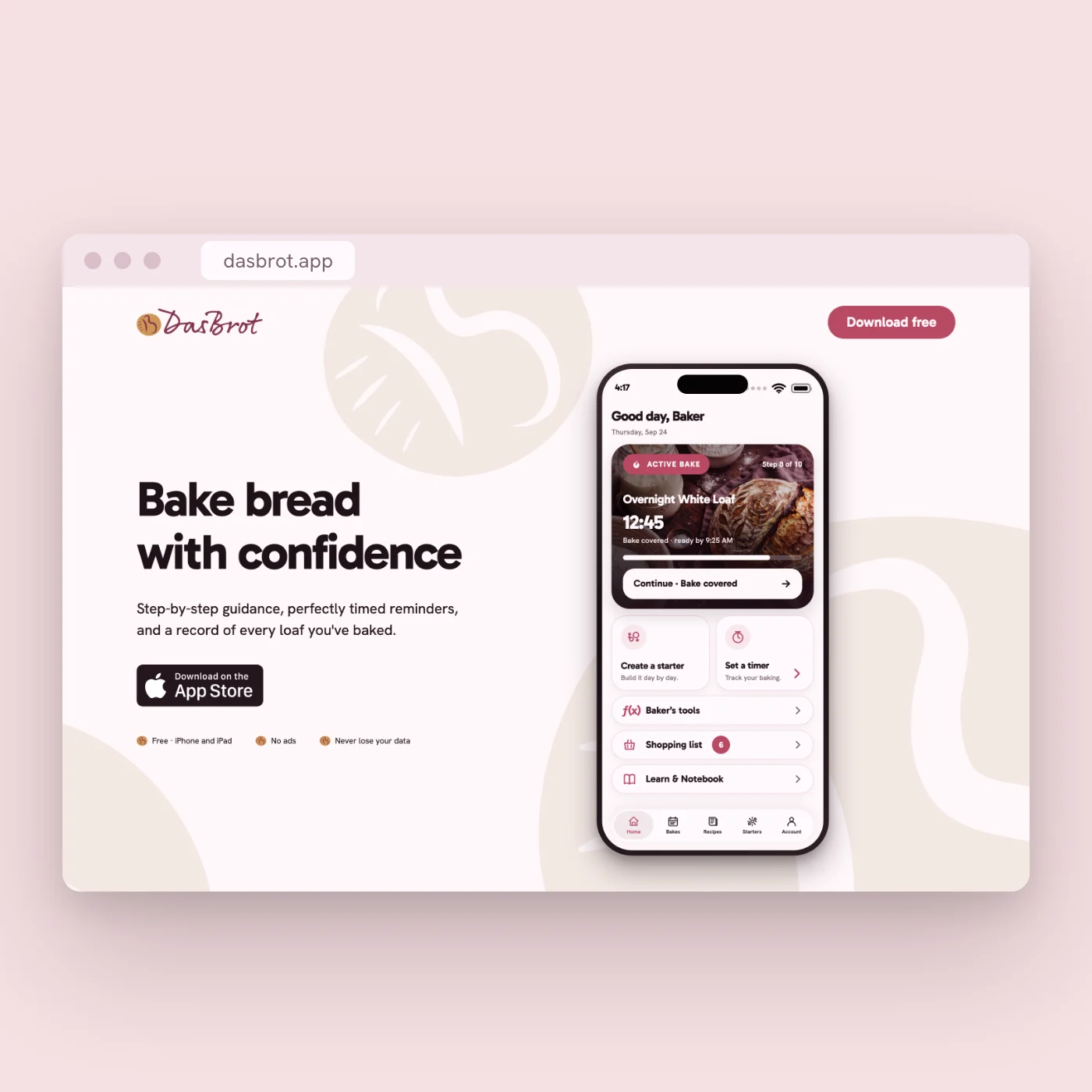
The marketing site runs on those same tokens. It has no palette of its own: the burgundy, the dark brown and the two typefaces all come from the app. It opens on "Bake bread with confidence" and a download button, then walks through the features, three situations people actually bake in, and a gallery from mixing to cooling. The phone screens on the page are captured from the app.
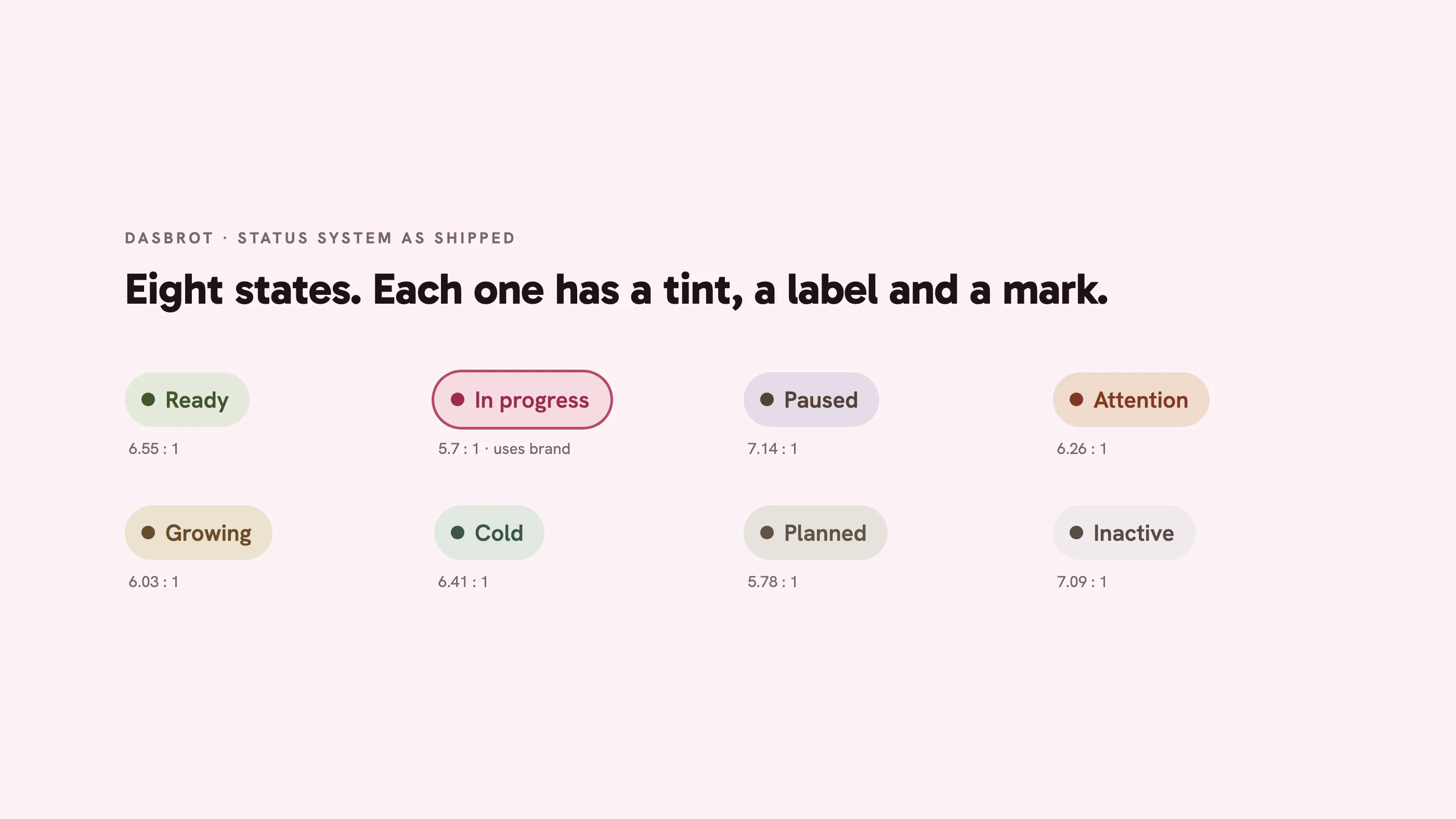
Eight states. Each one pairs a tint with a label and an icon, and every pair clears AA contrast.
A surface floats on the canvas or it sits inside one that does. Nothing floats on top of something already floating.
There is no dark mode, so every colour pair has to pass contrast in light mode.
AI agents wrote the code. I reviewed all of it.
The app is SwiftUI, written with Claude Code and Codex. I handed over the design system and the decisions, then went through what came back. The agents follow a rule exactly and never ask whether the rule is any good. So most of my time went into reviewing what they built.
Insights with nothing behind them
Insights would state a finding from three bakes as firmly as one from thirty. Each finding now shows how many bakes are behind it.
Text shrinking on wider screens
On dasbrot.app, type got smaller as the window got wider. Each breakpoint looked fine by itself. I replaced them with type that scales smoothly with the window.
A spec decision I overruled
The spec gave "rising" its own gold. I dropped it. A running bake stays burgundy, the same colour as the main button, so it reads as the thing to act on.
Shipped, and what comes next.
DasBrot is on the App Store and dasbrot.app is live. It's early, so there are no usage numbers yet. This section covers what got built.
What shipped
- An iPhone and iPad app: recipes, planning, guided bakes, timers, starters, bake log.
- A design system in Swift, mirrored into Figma.
- dasbrot.app, on the same tokens as the app.
What the system fixed
- Sixteen radius values down to five.
- One card style, used in over 140 places.
- Every status shows a tint, a label and an icon.
What comes next
- Collect user feedback.
- Work it into updates, starting with the photo cues.
- Fix bugs as they surface.